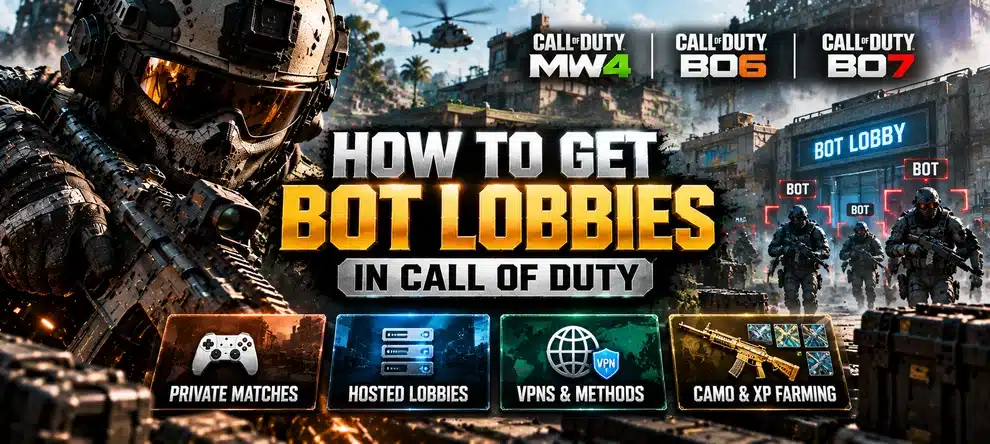
To get bot lobbies in Call of Duty, choose the type of match you actually need. You can practice against AI in a supported Private Match, queue for ordinary Multiplayer and sometimes meet less experienced opponents, or book a hosted selfplay session when you want dedicated time to work on eligible weapon XP and camo challenges. These are different options, even though players call all of them “bot lobbies.”
For players looking for CoD Bot Lobbies with an arranged invite, LepreStore offers game-specific hosted Multiplayer sessions for Black Ops 7 and Modern Warfare 4. You play on your own account. The important choice is whether you want practice, a selfplay farming session, or a completed reward.
What Counts as a Bot Lobby in CoD?
Before trying a method or paying for a service, check what “bot” means in that context. A training AI, an inactive participant and a low-skill human opponent are not interchangeable.
| Option | What you get | Best for | What to know |
|---|---|---|---|
| Private Match with AI bots | A custom match against computer-controlled opponents, where supported | Warm-ups, aiming practice, map learning | Progression may differ from public matches; do not assume XP or camo credit |
| Regular Multiplayer matchmaking | A public match with players selected by the game | Normal rank and weapon progression | There is no menu option to guarantee weak opponents |
| Hosted selfplay Bot Lobby | An arranged Multiplayer session and instructions to join | Focused attempts at eligible kill, XP and camo tasks | You still play; confirm the exact game, mode and task |
| VPN matchmaking service | A change to your network route or region | Network testing, not a reserved bot session | No guaranteed opponent skill, bots or unlock results |
| Piloted camo boost | A specified reward completed by a booster | Players who want the agreed finish without playing | It is a completion service, not hosted lobby time |
Want a Hosted Session Instead of Setting One Up?
Choose the game you actually play. LepreStore hosts selfplay Multiplayer sessions: you join with your Activision ID, play on your own account, and work on the eligible objectives you choose.
How to Get Free Bot Lobbies for Practice
If you only want easier targets for aim training, you might not need a paid session at all. Activision’s Black Ops 7 Multiplayer overview confirms that its Private Match mode lets you invite friends, add bots and customize match rules.
- Open Multiplayer in your game. Find Private Match or the equivalent custom-game menu. The name and available settings may differ between CoD titles.
- Create a private game. Pick a map and mode, and use the bot controls if the game provides them.
- Adjust the practice setup. Set the allowed bot count and difficulty, then start the match and work on aiming, movement or sightlines.
- Check the actual progression screen. If your aim is XP or a camo rather than practice, compare your counter before and after the match. Do not use a training result as proof that the corresponding public progression advanced.
In Black Ops 6, the Private Match lobby has an Add Bots option: open Multiplayer, create a Private Match, add bots to the lobby, select their difficulty and choose a map and mode. The BO6 setup walkthrough documents this training format and notes that it does not grant ordinary account progression. In Black Ops 7, Activision also explicitly lists AI bots in Private Match. Do not assume another title offers the same bot controls or reward rules.
A Private Match is especially useful for learning unfamiliar weapon recoil or practicing on a new map. It is not a substitute for a hosted public-progression session unless your current game and playlist explicitly award the progress you need.
How to Join a Hosted CoD Bot Lobby
Hosted selfplay is the more direct option when you want an arranged Multiplayer session rather than configuring practice bots or waiting for the matchmaker to provide a particular type of opponent. The current LepreStore BO7 and MW4 offers are based on session time: you join with your own character and play.
- Select the correct game. A BO7 lobby and an MW4 lobby are separate products. Check your platform and intended Multiplayer mode.
- Decide what you want to farm. Write down the weapon, level, camo tier or particular objective. A broad goal like “all camos” is less useful than an exact unlocked challenge.
- Choose your session options. Review the current product page for available time, start window, friend options and queue settings. Do not use old kill-per-match estimates to calculate how long your order should be.
- Share your Activision ID. Follow the order instructions and provide the correct identifier for the friend request. These selfplay offers do not require your account password.
- Read the session rules and join. Accept the invitation, play the session yourself, and follow the host’s current instructions about match objectives and rejoining.
- Verify progress as you go. Check the relevant weapon or camo counter rather than relying only on the match scoreboard.
For the newest title, see our dedicated MW4 Bot Lobbies Explained guide. It covers the particular Multiplayer offer and how it differs from a full camo order. This broader article is about the available ways to get a bot lobby across Call of Duty games.
What Can You Farm in CoD Bot Lobbies?
The useful question is not simply how many kills a lobby can produce, but whether those kills satisfy your actual objective. Kill totals, headshots, weapon levels and cosmetic unlocks are different counters.
| Your goal | What to check before a hosted session | Better alternative when it does not fit |
|---|---|---|
| Weapon levels and attachments | Whether the booked Multiplayer match awards Weapon XP for your selected gun | Use our MW4 Weapon Leveling guide to plan the unlocks, or consider a leveling service |
| Headshots and elimination tasks | The exact weapon, prerequisite, allowed match type and target conditions | Play a supported playlist or choose another task if the requirements differ |
| Player rank and general XP | Whether the session mode awards the relevant Player XP | Use normal Multiplayer progression or a dedicated rank service |
| A specific Mastery camo | Whether the remaining challenge belongs to Multiplayer, Warzone or another mode | Compare MW4 camo completion services if you want the finish handled for you |
For MW4 in particular, the announced shared Camo Track and separate mode-specific Mastery challenges mean that Multiplayer progress does not automatically complete DMZ or Warzone Mastery. See our MW4 lobby camo challenge checks before planning around a specific objective.
Are VPN Bot Lobbies and Reverse Boosting Reliable?
Neither is an equivalent replacement for an arranged session. A VPN changes how traffic is routed, but it does not give you control over the players selected for a public match. Similarly, there is no universal rule that making a low-stat account the party leader forces everyone into easy lobbies.
In its official matchmaking explanation, Activision lists connection quality, time to match, recent maps and modes, player performance, input method and platform among the factors that can shape Multiplayer lobbies. That is why promises of guaranteed easy opponents from one VPN setting or a single party statistic are not dependable.
Natural matchmaking can give you easy matches sometimes, but it cannot be reserved on demand. If your goal is casual practice, use AI Private Match where available. If your goal is a scheduled selfplay session, review the specific hosted offer instead of purchasing a VPN on the assumption that it produces AI opponents.
BO6, BO7, MW4 and Warzone: Which Bot Lobbies Should You Choose?
The game and mode matter more than the broad “CoD bot lobbies” label. Here is a quick route to the right information.
| You play… | Recommended route | Avoid this mix-up |
|---|---|---|
| Black Ops 6 | Use a BO6 Private Match with Add Bots for practice, or verify whether a current BO6-specific hosted service is offered before buying | Private AI practice does not replace progress-eligible public playlists |
| Black Ops 7 | Private Match for practice; BO7 hosted Bot Lobbies if you want a timed selfplay session | Private AI bots and hosted progression sessions are not the same thing |
| Modern Warfare 4 | MW4 hosted Bot Lobbies for selfplay Multiplayer, with game-specific requirements in our MW4 guide | Do not transfer BO7 session rules or kill estimates to MW4 |
| Warzone | Choose Warzone-specific queues or services that explicitly cover your goal | Buying Multiplayer lobby time does not automatically meet Warzone-only win or camo conditions |
| Older CoD titles | Check that title’s Private Match bot menu and current product availability | Do not assume every game shares the same AI, XP or matchmaking rules |
If you are mainly interested in a finished cosmetic rather than spending session time, use the relevant Call of Duty service catalog to find the reward and the delivery format. A hosted selfplay session and a piloted completion should be compared as two distinct purchases.
A Quick Checklist Before Booking
- Confirm the game, Multiplayer mode and platform in the product description.
- Check the exact task on your weapon or challenge screen and unlock its prerequisites first.
- Choose the session length based on what you need to attempt, not an old universal kill count.
- Make sure you can be online and playing for the booked selfplay session.
- Keep your Activision ID ready and read the current joining instructions.
- After the first match, compare the actual XP or camo counter with the value you recorded beforehand.
The shortest route is usually the clearest one: private bots for practice; a hosted lobby for organized selfplay; or a separate camo completion order if you prefer not to play through the objectives yourself. Start with the reward and game mode, then choose the format.
Updated October 18, 2026. BO7 Private Match features and matchmaking factors are documented by Activision. MW4 hosted-service terms reflect the currently listed LepreStore offer ahead of its October 23 launch; check each product page for live session availability and game-specific conditions.