
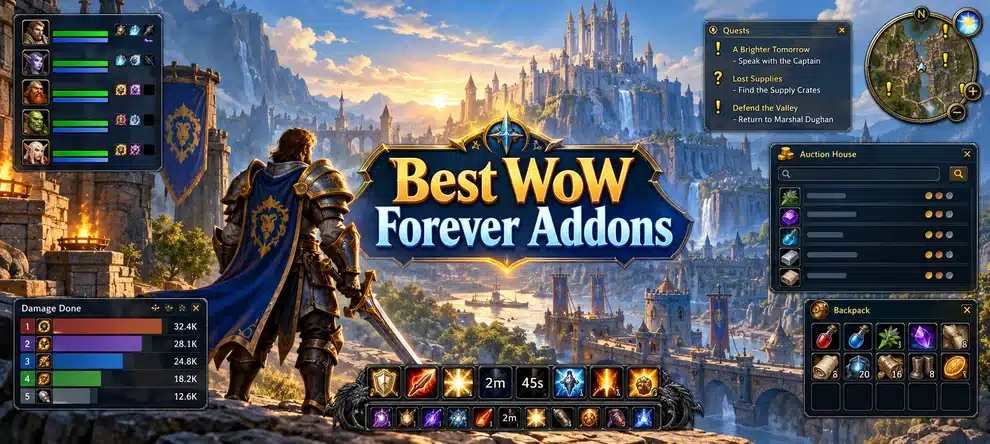
The best WoW Forever addons are the ones that solve a real problem without making your interface harder to use. OneForAll covers a huge amount of Forever-specific content, Questie makes quest objectives easier to find, and EllesmereUI is a good fit if you want to rebuild the way the game looks. You do not need all 15 addons on one character.
Compatibility checked: October 25, 2026. Every main addon below has a developer-published WoW Forever file or an explicit Forever 1.60.1 listing at the time of review. These are free-to-download addon choices, not paid leveling guides. Forever launches November 4; a published compatibility file is not the same thing as hands-on confirmation of every feature in the live release client.
Which WoW Forever Addons Should You Install First?
Start with your main activity. A small, purposeful setup is easier to maintain when the client or an addon updates.
| What you do most | Start with | Add later only if needed |
|---|---|---|
| Questing and leveling 1-60 | Questie + OneForAll | MapUtils for longer journeys |
| Dungeons, tanking and healing | OneForAll + Forever Threat | DBM when encounter support is available |
| A cleaner combat interface | EllesmereUI | ForeverAuras for supported custom tracking |
| Skyborne exploration and collecting | Skyborne Marker + Books on Map | OneForAll for broader game data |
| Professions and auction house | Auctionator | Baganator for sorting materials |
Map pins and gear planners make the journey easier to manage, but they do not complete quests or dungeons for you. If your real challenge is the time needed to reach level 60 or finding a reliable dungeon group, choose your progression route as well as your addons.
Choose What Helps You Progress
Addons organize the journey. If your next goal is a faster 1-60 route or a reliable dungeon group, choose the route that fits your time and preferred playstyle.
The 15 Best WoW Forever Addons
This is a practical shortlist, not a ranking by all-version download totals. We give extra weight to Forever-specific usefulness, current developer support and how clearly an addon solves a player problem. Each download link goes to its original CurseForge project, where you should select the WoW Forever file.
1. OneForAll – Forever
Best all-in-one companion. If you only want one broad companion addon, start here. OneForAll pulls together gear and loot browsing, dungeon maps, profession recipes, reputation information, library books and a talent planner in a single interface. It is particularly useful on a new character because you can look up where an upgrade comes from without leaving the game every few minutes.
The interesting part is how the tools connect. Find a gear upgrade, identify its dungeon or boss, inspect the map and build a wishlist for later. Its profession tools can also make guild crafting easier when other players use the same addon. For Forever-specific collecting, it can notify you about nearby library books. The author is actively publishing a Forever 1.60.1 build.
Before you install: It does a lot, so open its options before installing separate map, auto-loot, repair or quest convenience addons. OneForAll is not a replacement for a dedicated quest-objective tracker such as Questie, and its database can still receive corrections.
Official addon page: OneForAll – Forever.
2. Questie
Best for questing and leveling 1-60. Questie is the easiest recommendation for a player who wants clearer quest locations. It adds quest givers, objectives and turn-ins to the map and minimap, plus an objective tracker that helps you spot nearby work. That saves you from repeatedly opening the quest log to work out where the next camp is.
Use it alongside the WoW Forever leveling guide 1-60: the guide explains where to go and when, while Questie helps you navigate the quests you have chosen. The CurseForge project now includes a Forever release, rather than requiring an unofficial Classic Era download.
Before you install: Questie is a quest helper, not a verified fastest-route engine. New Forever quests and objective coordinates may need updates. If a map marker disagrees with your quest text, check the in-game objective rather than treating the pin as authoritative.
Official addon page: Questie.
3. EllesmereUI
Best complete interface overhaul. EllesmereUI is for players who care about their whole screen, not just one window. It can reshape action bars, unit frames, nameplates, auras, cast bars and other UI elements into a more consistent layout. The appeal is getting a clean setup through one interface package instead of configuring five unrelated frame addons.
It is a strong choice if you plan to spend long sessions healing, tanking or playing PvP, where a readable target frame matters more than decorative effects. Start with a simple profile, make your own cooldowns visible and test the result on an easy fight before changing every option.
Before you install: Forever already provides Edit Mode and a built-in Cooldown Manager, so this is optional. Avoid running another full UI replacement or an aggressive nameplate preset at the same time unless you deliberately turn overlapping modules off.
Official addon page: EllesmereUI.
4. Books on Map Forever
Best for Forever library-book collecting. This is one of the few entries that exists for a distinctly WoW Forever activity. Books on Map Forever marks known collectible library-book locations on the world map and minimap, tracks which books you have already collected and helps build a route through those you still need. The author’s October listing covers 38 known books.
Books matter because the library turn-ins offer rewards at different collection milestones. Instead of hoping OneForAll notices a book as you pass, you can open your map and plan a detour on purpose. That makes it useful for players who enjoy completing a zone before moving on.
Before you install: OneForAll also handles library-book awareness. Run both if you like the combination of nearby alerts and full map routing, but do not assume either addon reveals future books before its data is updated.
Official addon page: Books on Map Forever.
5. ForeverAuras
Best custom buff and cooldown displays. ForeverAuras is a community fork of WeakAuras built for WoW Forever. It provides configurable visual indicators for information such as buffs, debuffs and other tracked states. You can start with a small number of useful reminders instead of turning your screen into a wall of icons.
For a healer, that might mean making a key buff easier to see; for a damage dealer, keeping a familiar cooldown or proc indicator in the corner of the screen. Open its configuration with /fa and check which triggers the current Forever build supports.
Before you install: This is not a promise that every Retail or Classic WeakAuras import works. The project calls itself under development and Forever uses modern combat-information limits; some conditions and displays simply cannot work the old way. Try the built-in Cooldown Manager first if your needs are basic.
Official addon page: ForeverAuras.
6. Auctionator
Best for auctions, materials and gold. Auctionator makes the auction house easier to use without turning trading into a separate research project. Its search tools, shopping lists, posting assistance and price information are handy when you are selling gathered materials, buying profession supplies or checking whether a random drop is worth keeping.
The most practical habit is to check a market before deciding that an item is vendor trash. If you level professions or spend time gathering herbs and ore, Auctionator earns its slot quickly. It also helps when you are planning purchases for an alt or trying to avoid repeatedly typing the same shopping list.
Before you install: Auction prices are based on available market data and can move quickly, especially around launch. A tooltip estimate is not a guaranteed sale price; check actual listings and your ruleset’s economy before pricing an item.
Official addon page: Auctionator.
7. Forever Threat
Best for tanking and group aggro. Forever Threat fills a gap left by the built-in damage meter: it shows a threat window for your current target. The author models the layout on the game’s own meter, with threat bars, an aggro holder and configurable warnings as you approach the top of the table.
That helps tanks judge whether a pull is secure and helps damage dealers decide when to slow down. It is particularly useful for dungeon groups where a high burst at the start of a pull can send a mob straight toward the healer. Type /threat to show the window, or /threat test to position it with sample bars.
Before you install: The addon cannot reconstruct every enemy’s full threat table from hidden client data. Some players outside your group may show incomplete information. Read it as a helpful situational meter, not a perfect promise about who will have aggro next.
Official addon page: Forever Threat.
8. OPie
Best for clean action bars and fewer keybinds. OPie lets you place spells, items and other actions into radial menus opened by a keybind. Hold the key, point to the action you want and release. It is ideal for things you need occasionally but do not want occupying your main combat bar.
Good examples include a hearthstone, class teleports, mounts, utility spells and consumables. Druids can keep seldom-used travel and utility actions in a ring; a raider can organize food, flasks and other preparation items separately. This keeps your important combat buttons close while reducing permanent UI clutter.
Before you install: Keep frequently used combat and defensive abilities on reliable direct keybinds. A radial menu does not bypass cooldowns, global cooldowns or the game’s protected-action restrictions.
Official addon page: OPie.
9. MapUtils
Best for travel routes and dungeon maps. MapUtils adds practical information to the world map: boats, zeppelins, tram routes, flight points, dungeon entrances and instance maps. It also lets you move or resize the map instead of blocking much of the screen whenever you are checking where to go.
It is especially valuable during the 1-60 journey, when choosing the wrong boat or running to the wrong instance entrance costs more time than a few extra pulls. Use it when planning a trip between quest hubs, or combine its travel information with the WoW Forever Dungeons Guide to pick a level-appropriate run.
Before you install: OneForAll covers some maps and transportation information too. If you already like its map features, compare the two before keeping both enabled.
Official addon page: MapUtils.
10. Skyborne Leyline & Convergence Marker
Best for Skyborne racial exploration. Skyborne have faction-specific environmental nodes to seek out. This addon puts known Alliance leylines and Horde elemental convergences on the zone map instead of relying only on the small area visible around you on the minimap.
That makes it easier to plan when to refresh your racial benefit while questing. The developer also offers optional live status sharing, so players who choose to participate can pass newly found node information to other users in the same phase. If you would rather discover everything yourself, the addon offers a self-found display mode.
Before you install: This is a specialized recommendation, not something every character needs. Choose it if you play Skyborne; the Skyborne Race Guide covers the actual race choice, abilities and starting route.
Official addon page: Skyborne Leyline & Convergence Marker.
11. Baganator
Best inventory search and organization. Baganator turns scattered items into one readable inventory, with a single-bag view or categorized sections. Searching by name or item type is useful when you are juggling dungeon drops, profession materials, consumables and quest items. The project also supports inventory information from your other characters through its companion dependency.
The real improvement is finding the right item quickly, not merely combining bag windows. During leveling you might need to check whether you still have a potion, locate a crafting reagent or sort several stacks before visiting a vendor.
Before you install: Forever already has a combine-bags option, so you may not need this. Baganator requires Syndicator; the CurseForge app can install the dependency for you. Prefer one primary bag replacement rather than stacking several.
Official addon page: Baganator.
12. Leatrix Plus
Best lightweight quality-of-life options. Leatrix Plus is a long-standing collection of small conveniences, including options for quicker quest interaction, selling junk, automatic repair, chat changes and interface tweaks. It is modular, which means you can enable just a few things rather than accept a complete UI overhaul.
For a minimalist setup, that is the attraction. Maybe the only things you want are a tidier minimap and fewer clicks at vendors; Leatrix Plus can solve those problems without redesigning your action bars or unit frames.
Before you install: A lot of its features overlap OneForAll and some EllesmereUI settings. If you use multiple utility packs, disable duplicate automatic repair, selling, quest turn-in and minimap behavior to avoid confusion. The author currently supplies a dedicated Forever file.
Official addon page: Leatrix Plus.
13. Manners
Best for sharing buffs while leveling. Manners turns those little encounters with friendly strangers into something useful. When another player buffs you, or when you pass someone who could benefit from your available buffs, it can show a one-click prompt. You choose whether to cast; the addon does not make the decision for you.
This shines during busy early leveling, when Mark of the Wild, Thorns or a helpful blessing can make the next fight easier. It also reduces the awkward moment when someone buffs you and runs off before you can target them to return the favor.
Before you install: It is a social convenience rather than a must-have performance tool. If prompts become distracting in crowded cities, narrow the eligible players to your group or people who buffed you first.
Official addon page: Manners.
14. Forever Combat Text
Best for cleaner floating damage numbers. Forever Combat Text changes where and how combat numbers appear. Its nameplate-focused display can put numbers near the relevant enemy rather than piling them all in the center of your screen, with some appearance controls for readability.
Players who like to keep the middle of the screen clear for positioning or raid mechanics may prefer the result. It is a visual preference, so turn it on for a few pulls and decide whether you actually read the information faster than with Blizzard’s built-in combat text.
Before you install: The client does not always tell the addon who caused a hit, so its numbers may include other players’ damage. It relies on accessible nameplates and cannot promise complete DoT or healing coverage. Do not use its display as a personal damage meter.
Official addon page: Forever Combat Text.
15. Deadly Boss Mods (DBM)
Best-known boss alert framework for future group content. DBM is one of the best-known raid and dungeon alert frameworks in WoW, and its developer publishes a file labeled for Forever. The core provides the familiar structure for encounter warnings and timers, which can be valuable once supported dungeon and raid encounters have proper modules.
If you expect to run organized groups after the November 4 launch, it is worth keeping on your shortlist. Start by checking the current Forever file and the encounter modules available for the specific boss you are doing, rather than assuming an alert package written for Retail covers a new Forever dungeon.
Before you install: A Forever-compatible DBM Core file does not prove that all nine new Forever dungeon bosses or the later raid encounters already have accurate timers. Treat encounter coverage as an update-dependent feature. BigWigs is an alternative; there is no need to run two full boss-mod setups.
Official addon page: Deadly Boss Mods (DBM).
What WoW Forever Already Has Built In
WoW Forever has several features that used to make extra addons feel mandatory. Before adding a replacement, try the default interface first.
| Already built in | When an extra addon is worth it |
|---|---|
| Edit Mode and interface positioning | Choose EllesmereUI when you want deeper control over frames, bars and the overall layout. |
| Cooldown Manager | Choose ForeverAuras when you have a supported, specific reminder that the built-in display cannot show clearly. |
| Damage meter | Try the default one first. Forever Threat solves a different problem: aggro, not raw damage totals. |
| Combine bags | Baganator adds item search, category views and cross-character organization. |
| Default combat text | Forever Combat Text is mainly a readability and placement preference. |
You can also avoid duplicated functions. OneForAll already covers many quality-of-life tasks; Leatrix Plus can do some of the same work. EllesmereUI changes frames and nameplates, so be selective about other UI packs. And if you only need a simple book alert, you might not need a second map overlay.
How to Download and Install WoW Forever Addons
- Find the actual Forever release. Open the official project page linked above and check the Files section. Select the game flavor marked Forever, normally listed as version 1.60.1 (interface
16001). A plain Classic Era or Retail download is not automatically compatible. - Use the right game installation. In the CurseForge app, select the World of Warcraft installation and the Forever flavor when offered. For a manual install, use the
Interface/AddOnsfolder inside the Forever client directory selected in Battle.net, not the folder for your other WoW versions. During beta this was commonly_classic_beta_; confirm the actual folder after launch rather than assuming the name stays the same. - Check the extracted folder structure. The individual addon’s
.tocfile should be inside its addon directory, not buried in an extra ZIP-name folder. Install any declared dependency, such as Syndicator for Baganator. - Enable the addon in game. Start or restart the Forever client, open the AddOns list when available and make sure the addon is enabled for your character. Reopen its options after major updates if settings have changed.
- Update one problem at a time. If your UI behaves strangely, disable the newest addon first. Turn off duplicate features before blaming the entire package, and check the author’s current issue tracker for release-day fixes.
A useful warning: the Forever addon environment uses modern client restrictions. UI layouts, map data, and permitted tracking are possible; a familiar addon name does not mean old combat-information access or automated rotations have returned. Avoid downloads that promise hidden-data access or one-button automation.
Three Addon Combinations That Work Well Together
Simple leveling setup
Pick Questie + OneForAll. Questie handles the quest map, and OneForAll gives you gear, dungeon and profession information. Add Books on Map if library collecting is part of your route. You can follow our leveling 1-60 guide for zone planning without buying a separate route addon.
Dungeon and raid preparation
Pick OneForAll + Forever Threat; add DBM when its modules support the encounters you plan to run. OneForAll helps you decide what gear to target, while Forever Threat provides aggro information. Read our WoW Forever dungeon guide for the actual instance and level decisions. An addon is not a substitute for understanding your role or the boss.
Minimalist UI setup
Pick EllesmereUI + OPie, then add only the specialist trackers you really use. EllesmereUI handles the overall screen, OPie keeps seldom-used actions off your main bars, and ForeverAuras is optional when a supported indicator would make a real difference. Do not install three full UI packs just because each one looks good in screenshots.
WoW Forever Addons FAQ
Do Classic WoW addons work in WoW Forever?
Not automatically. Forever uses a different game interface and modern addon restrictions. Look for a developer-provided Forever release with the appropriate client version, rather than copying an old Classic Era folder.
Can you use WeakAuras in WoW Forever?
The standard WeakAuras project does not provide the same native Forever experience. ForeverAuras is a separate community fork, but its available triggers and imports depend on the current Forever API. Try the built-in Cooldown Manager for basic tracking.
Do you need both Questie and OneForAll?
They solve different problems. Questie focuses on quest markers and objectives; OneForAll covers broader gear, dungeon, profession, talent and collectible information. Use both if those are things you regularly check.
What if an addon is missing after installation?
First confirm you downloaded the Forever file, then check that you placed it inside the correct Forever client’s Interface/AddOns directory. Make sure the .toc file is not nested too deeply and that required dependencies are installed. Restart the client after copying files.
Are all 15 addons necessary for leveling?
No. For most players, Questie plus OneForAll is already a strong start. Add a bag tool, better maps or a specific combat display only after you identify a problem. Fewer addons also make launch-day troubleshooting easier.


