
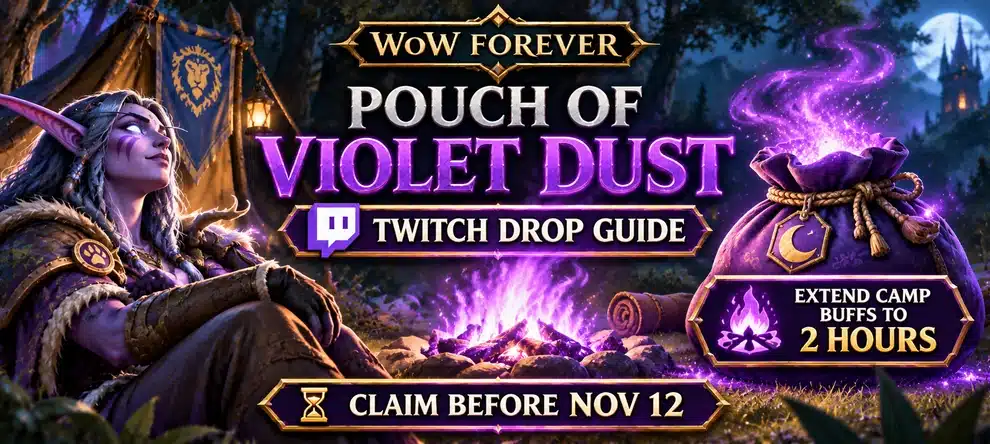
To get the Pouch of Violet Dust in WoW Forever, link your Twitch and Battle.net accounts, watch four hours of eligible World of Warcraft streams, then claim the Drop in your Twitch inventory. Blizzard’s viewing window ends on November 12, 2026, at 4:30 p.m. PST (November 13 at 00:30 UTC). The reward is a temporary toy that turns your campfire purple and extends eligible camp benefits from one hour to two hours.
The deadline matters more than the color: this is part of the WoW Forever Launch Celebration, not a permanent new Camping recipe or a rare loot drop. Blizzard says the toy will be removed from collections in early December 2026 when that celebration ends. There is no announced exact removal day. You do not need to defeat a boss, visit a special vendor or pay for a Twitch Drop service to earn it.
| Pouch of Violet Dust fact | WoW Forever rule |
|---|---|
| Reward | Temporary Pouch of Violet Dust toy, usable in WoW Forever during Launch Celebration |
| How to earn | Watch four hours of eligible World of Warcraft streams on Twitch |
| Twitch Drops deadline | November 12, 2026, 4:30 p.m. PST / November 13, 00:30 UTC |
| Camp benefit | Eligible camp buffs last one extra hour, for two hours total |
| Group effect | Other players resting at the affected camp get the extended duration too |
| Access | Requires a World of Warcraft subscription or Game Time |
| After the celebration | The toy will be removed from player collections in early December |
How to Get Pouch of Violet Dust: Five Steps
- Connect the right Battle.net account. Open Battle.net Connections, sign in, and connect your Twitch account. Do this before you commit to hours of viewing.
- Open an eligible stream. Go to the World of Warcraft category on Twitch and select a live channel with Drops enabled for the active campaign. You can change eligible channels later.
- Complete four hours of viewing. Watch while the campaign is active and check your progress in Twitch Drops Inventory. Watching multiple channels at once does not accelerate the timer.
- Claim the earned reward on Twitch. When the progress bar reaches 100%, use the Claim button on the channel or in Drops Inventory. Completing watch time and claiming a reward are separate actions.
- Log in to the intended WoW region. Blizzard says the first Battle.net region you enter after claiming is where the reward will be delivered. Allow up to 24 hours for it to appear, then use it at a WoW Forever campfire.
Do not wait until the last four hours of the campaign to start. A stream can end, a channel can lose Drops eligibility, or the progress display can lag. There is no benefit to postponing an account check until the last evening.
Build a Useful Camp Around Your Violet Dust
The toy extends eligible camp buffs; it does not create a camp or teach profession recipes. Use the camping guide for a working setup, or explore material kits if you want to level crafting professions yourself.
When Does the WoW Forever Violet Dust Twitch Drop End?
Blizzard opened the campaign on November 4 at 4:30 p.m. PST and set the closing time for November 12 at 4:30 p.m. PST. The same instant may appear under November 13 in other regions. Use the table below when planning your four hours of viewing.
| Time zone | Drops end | Four-hour start, no margin |
|---|---|---|
| Pacific (PST, UTC-8) | Thu, Nov 12, 4:30 p.m. | Thu, Nov 12, 12:30 p.m. |
| Eastern (EST, UTC-5) | Thu, Nov 12, 7:30 p.m. | Thu, Nov 12, 3:30 p.m. |
| United Kingdom (GMT, UTC+0) | Fri, Nov 13, 00:30 | Thu, Nov 12, 20:30 |
| Central Europe (CET, UTC+1) | Fri, Nov 13, 01:30 | Thu, Nov 12, 21:30 |
| Kyiv (EET, UTC+2) | Fri, Nov 13, 02:30 | Thu, Nov 12, 22:30 |
The last-start column is simple subtraction, not a safe recommendation. The campaign can close before an interrupted stream gives you the full four hours. Aim to complete the progress bar well ahead of the deadline and claim the reward once available.
How to Link Twitch and Battle.net Correctly
Account linking is a small step that can ruin a limited-time reward if you connect the wrong account or change connections at the end of the campaign.
- Sign in at account.battle.net/connections with the Battle.net account used for WoW Forever.
- Find Twitch in the connection settings and follow the Connect flow to authorize the account you actually watch with.
- Return to Twitch, open Drops Inventory, and check that your viewing is advancing against the WoW campaign.
- After claiming, sign in to the Battle.net region where you want the reward delivered. Blizzard assigns the item to the first region you enter after a successful claim.
Important: Blizzard warns that reconnecting to a different Twitch account has a seven-day cooldown. If your accounts were changed or your password was reset, review the connection before watching rather than assuming the previous link still works. Blizzard also states that a claimed Twitch Drop expires after seven days if no Battle.net account has been linked.
How to Get All Four Hours of Twitch Watch Time
You can switch between eligible channels in the World of Warcraft Twitch category without losing existing progress. For example, one hour on one participating channel and three hours on another still make four hours in total. Watching two channels simultaneously does not count as eight hours of viewing.
Use a PC or Mac browser, or the Twitch app on Android or iOS. Blizzard specifically says Twitch and YouTube apps on consoles, smart TVs and other TV apps do not support Drops. Check for an active Drops indicator rather than assuming that any live WoW video qualifies.
The official article also explains linking a Battle.net account to YouTube and says that YouTube reward viewing must remain on the official World of Warcraft channel. It does not give the same detailed four-hour YouTube viewing schedule as the Twitch campaign, so Twitch is the clearest documented route for this specific reward.
How to Use Pouch of Violet Dust at a Campfire
Once the reward reaches your WoW Forever toy collection, use it at a campfire during Launch Celebration. It changes the flames to purple. Anyone resting at that camp can receive eligible campsite benefits lasting two hours instead of the normal one hour.
This is a duration improvement, not a new permanent stat and not a direct double-XP buff. A camp still needs its normal profession-made objects to provide their bonuses. The toy does not automatically spawn a Camp Tent, teach Cooking recipes, unlock a Blueprint or refill the amount of Rested XP on your character.
If you already have a working camp, plan around the buffs you actually use. If you need to build one, follow the WoW Forever Camping Guide for campfire sizes, Cooking requirements, profession objects, buff stacking and the Camp Tent. A friend with a camp can share the extended benefits with the group; every player does not need to own the toy.
Does Violet Dust Extend Cozy Sleeping Bag XP?
No general double-XP effect is announced. The Pouch extends camp benefits granted at an eligible camp. The Cozy Sleeping Bag is a separate reward and experience mechanic. Do not multiply XP rates or assume the Pouch changes Sleeping Bag durations without a specific game tooltip saying so.
Pouch of Violet Dust Not Showing Up? Fix the Common Problems
| Problem | What to check first |
|---|---|
| No Twitch progress | Confirm the campaign is still active, the stream is eligible for WoW Drops and you are viewing on a supported device. Check Drops Inventory, not only the stream title. |
| Watch time is complete but nothing arrived | Go back to Twitch Drops Inventory and press Claim. An earned reward is not automatically claimed on Twitch. |
| Wrong Battle.net account connected | Review the Battle.net Connections page; Blizzard warns about a seven-day cooldown when relinking a different Twitch account. |
| You claimed but cannot find the reward in Forever | Confirm you logged into the intended region first and allow up to 24 hours for delivery. Check the in-game toy collection rather than expecting a normal dungeon drop. |
| Trying to earn it on a television app | Use a supported PC/Mac browser or Android/iOS app. Console and smart-TV apps do not support Drops. |
| Campfire color changed but expected buff is missing | Check whether an eligible camp object is present and whether you rested at that camp long enough to receive its normal benefit. |
Do not solve a missing reward by repeatedly disconnecting Twitch accounts: account changes can create a seven-day waiting period, longer than the remaining campaign window. Blizzard’s official Pouch announcement and FAQ is the source for the campaign, account and delivery rules.
Pouch of Violet Dust FAQ
Is the Pouch of Violet Dust free?
It is an earnable viewership reward rather than a purchased in-game item. Blizzard requires an active World of Warcraft subscription or Game Time to use the reward in WoW Forever, and the account must be eligible for the campaign.
Can another player use my purple camp benefits?
Yes. Blizzard says anyone resting at the affected camp receives the same extra hour on eligible camp benefits. Friends do not each need to activate their own Pouch.
Does the reward work in Retail or WoW Classic?
No. Blizzard explicitly restricts this toy to WoW Forever. It is not available in modern World of Warcraft or WoW Classic.
Can I keep the toy after the Twitch Drop campaign ends?
The November 12 deadline ends the opportunity to earn the Twitch Drop. The toy remains usable for the rest of WoW Forever Launch Celebration, which Blizzard says ends in early December. It will then be removed from player collections. No precise December removal date was provided.
Can I get it by farming quests, dungeons or the Auction House?
Blizzard’s announced acquisition method is the limited-time viewing campaign. It is not described as a normal world drop, quest reward, shop purchase or tradable Auction House item. To obtain it through the documented route, finish the eligible watch time before the promotion closes and claim the earned reward promptly.
Campaign dates, reward effects, account rules and regional conditions follow Blizzard’s November 5, 2026 Pouch of Violet Dust announcement. WoW Forever’s general camp setup is covered by our Camping Guide.