Running Midnight smoothly depends on understanding both official specs and real-world performance expectations.
Key Takeaways
- The WoW Midnight system requirements follow Blizzard’s modern hardware baseline;
- Midnight minimum specs focus on stability, not high fps;
- Midnight recommended specs aim for smooth 1080p and higher settings;
- Launch performance depends heavily on cpu and storage speed;
- Graphics tuning solves most WoW Midnight fps issues;
- Proper hardware optimization prevents stuttering and zone-load spikes.
Official Wow Midnight System Requirements Overview
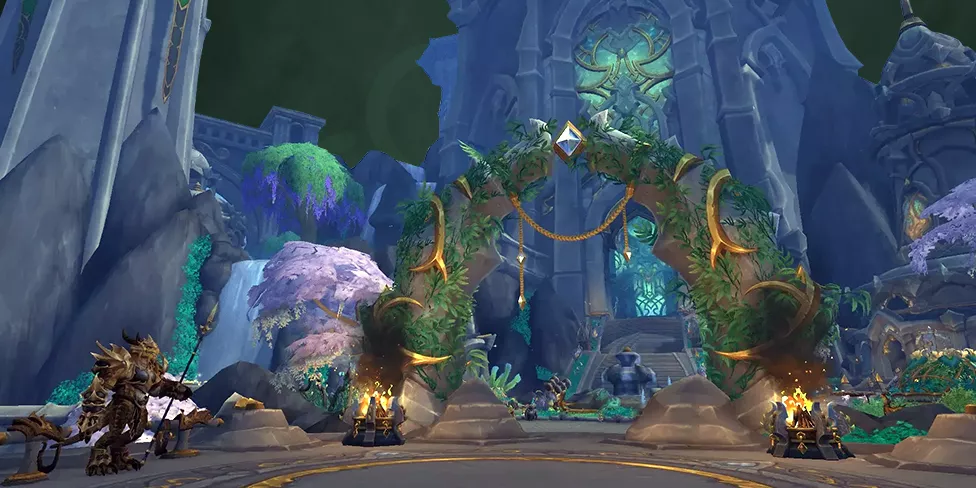
The WoW Midnight system requirements are built on Blizzard’s modern engine architecture used in Dragonflight and The War Within, with further lighting and environmental upgrades for Midnight’s redesigned Quel’Thalas zones.
🍀 BLIZZARD TYPICALLY RELEASES:
- Minimum specifications for basic playability;
- Recommended specifications for stable performance;
- Optional settings for higher resolutions and advanced graphics.
🍀 MIDNIGHT DOES NOT REPRESENT A FULL ENGINE REPLACEMENT, BUT IT INTRODUCES:
- Updated lighting systems;
- Higher-fidelity environments;
- Improved environmental effects;
- More detailed city redesigns.
This increases demand slightly compared to older expansions. The midnight pc requirements 2026 are therefore evolutionary, not revolutionary.
[banner]
Midnight Minimum Specs Explained
| Aspect | Details |
|---|---|
| Midnight minimum specs are designed to ensure: |
The game launches reliably;
Zones load consistently;
Campaign content remains playable;
Large-scale crashes are avoided.
|
| Minimum specifications are not meant to provide high frame rates during: |
World events; Raid encounters; Crowded city hubs;
Launch-week congestion.
|
| On minimum-tier hardware, players may experience: |
Lower FPS during intense effects; Longer loading screens; Reduced draw distance;
Lower texture clarity.
|
Meeting midnight minimum specs means the game runs, not that it runs optimally. For stable launch performance, players should ideally exceed minimum specifications.
If your PC struggles at launch, Leprestore can handle dungeon and raid clears while you optimize performance. Go check it out – our WoW boost services offer quick, safe, expert assistance without disrupting your gameplay experience.
Midnight Recommended Specs And Real-World Expectations
| Aspect | Details |
|---|---|
| Midnight recommended specs aim to deliver: | Stable 60 FPS at 1080p; Higher graphical preset support; Reduced stutter during zone transitions; Stable performance in 5-player dungeons. |
| The midnight recommended specs are typically balanced around: | Modern quad or six-core CPUs; Mid-range GPUs; SSD storage; 16 GB RAM baseline (However, real-world wow midnight fps issues often stem from CPU bottlenecks rather than GPU limitations). |
| Midnight’s environmental upgrades, including redesigned Silvermoon and dynamic zone states, increase CPU load during: | Hub congestion; Campaign scenarios; Large NPC gatherings. |
Understanding midnight cpu gpu needs is essential. Strong single-core cpu performance often matters more than raw gpu power in crowded environments.
If your PC struggles at launch, Leprestore can handle dungeon and raid clears while you optimize performance!
Midnight Graphics Requirements And Settings Impact
🛡️ MIDNIGHT GRAPHICS REQUIREMENTS SCALE ACROSS SEVERAL ADJUSTABLE SETTINGS:
- Shadow quality;
- Environmental detail;
- View distance;
- Particle density;
- Post-processing;
- Ray tracing options.
Higher shadow quality significantly impacts cpu load. Extended view distance affects both cpu and gpu utilization. Ray tracing, if enabled, primarily affects gpu demand.
🛡️ PLAYERS EXPERIENCING MIDNIGHT PERFORMANCE PROBLEMS SHOULD FIRST REDUCE:
- Shadow quality;
- View distance;
- Particle density>.
Texture resolution primarily affects vram, not fps stability in most scenarios.
Midnight Launch Performance Considerations
Launch week introduces unique performance stressors unrelated to hardware strength.
🍀 MIDNIGHT LAUNCH PERFORMANCE CAN BE IMPACTED BY:
- Server congestion;
- Phasing delays;
- Overcrowded campaign hubs;
- Increased spell effect overlap.
🍀 EVEN HIGH-END SYSTEMS MAY ENCOUNTER FRAME DIPS DURING:
- Massive player clustering;
- Launch-day events;
- City crowd density spikes.
These are not strictly hardware failures. However, players with ssd storage experience dramatically faster zone loading and fewer hitching issues compared to hdd users.
🍀 MIDNIGHT HARDWARE OPTIMIZATION SHOULD THEREFORE PRIORITIZE:
- Ssd installation;
- Updated gpu drivers;
- Background process reduction;
- Clean addon management.
Common Wow Midnight Fps Issues
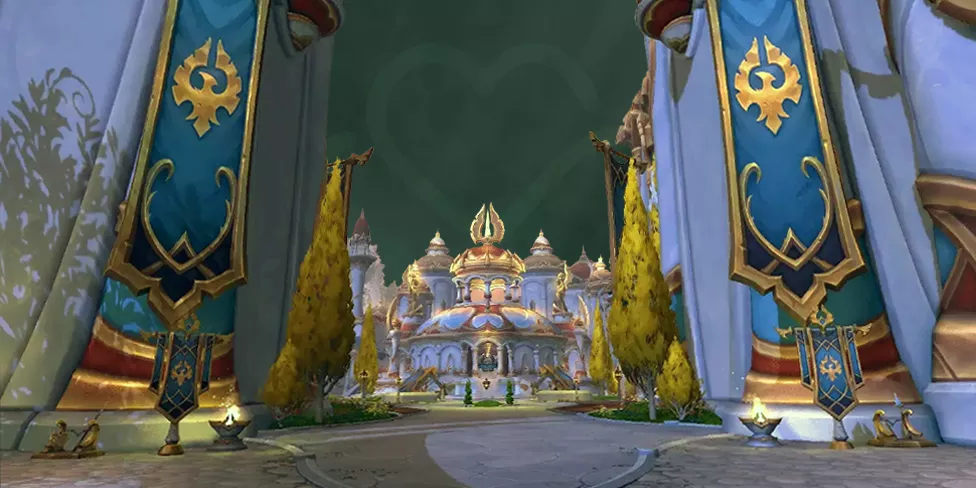
⭐ TYPICAL WOW MIDNIGHT FPS ISSUES INCLUDE:
- Low fps in capital cities;
- Frame drops during world events;
- Stuttering in campaign scenarios;
- Gpu spikes during lighting transitions;
- Input delay in crowded areas.
⭐ MANY OF THESE ARE TIED TO:
- Cpu limitations;
- Addon conflicts;
- Overly aggressive graphics presets;
- Outdated drivers.
⭐ THE MIDNIGHT STUTTERING FIX STRATEGY SHOULD INCLUDE:
- Disable unnecessary addons;
- Lower shadow quality;
- Reduce render scale slightly;
- Limit background recording software;
- Update graphics drivers;
- Check windows power plan settings.
Stuttering is often linked to background applications rather than in-game settings alone.
Midnight Cpu Gpu Needs
Midnight cpu gpu needs reflect modern mmo scaling behavior.
🎯 CPU IMPORTANCE:
- Handles npc processing;
- Manages combat calculations;
- Processes zone phasing;
- Supports large player clustering.
🎯 GPU IMPORTANCE:
- Renders textures;
- Handles lighting;
- Manages post-processing;
- Supports higher resolution output.
🎯 FOR STABLE MIDNIGHT PERFORMANCE PREBLEMS RESOLUTION:
- Prioritize strong single-core cpu speed;
- Ensure adequate vram;
- Use ssd storage;
- Maintain at least 16 gb ram.
Ram shortages frequently cause hitching during major zone loads.
Midnight Pc Requirements 2026 Vs Previous Expansions
🍀 COMPARED TO DRAGONFLIGHT:
- Lighting complexity is increased;
- Environmental density is higher;
- Capital redesigns are more detailed.
However, Blizzard maintains broad accessibility goals. Midnight pc requirements 2026 do not appear to require extreme hardware upgrades for players who were already running The War Within comfortably. Players on very old gpus may need to lower preset levels significantly.
Hardware Optimization Checklist
For smooth wow midnight system requirements compliance:
- Install game on ssd;
- Keep drivers updated;
- Use directx 12 if stable;
- Limit background apps;
- Disable unnecessary overlays;
- Use directx 12 if stable;
- Adjust shadow and view distance first;
- Avoid max presets on mid-tier gpus.
Most midnight performance problems are solved by tuning 2 to 3 key settings rather than rebuilding a pc.
F.A.Q.
What are the official wow midnight system requirements?
Blizzard publishes minimum and recommended specs near launch. These focus on stability and 1080p performance targets.
Why am i getting fps drops in silvermoon?
High player density and cpu load are common causes during launch week.
Does midnight require ssd?
Technically no, but ssd dramatically improves loading and reduces stutter.
Is ray tracing required?
No. Ray tracing is optional and primarily affects gpu usage.
How do i fix midnight stuttering?
Lower shadow quality, reduce view distance, disable addons, and update drivers.
READ MORE