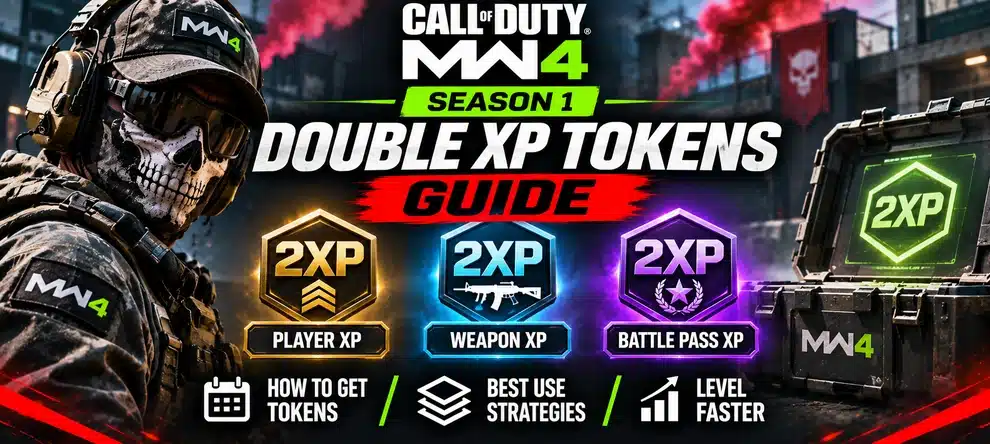
Which Double XP Token should you use in Modern Warfare 4? Use Weapon 2XP when you need levels and attachments for a specific gun, Player 2XP when you want to raise Soldier Rank, and Battle Pass 2XP when your next goal is progress along the seasonal reward track. These are different progress bars. A token aimed at one bar should not be treated as a shortcut to all three.
Activision has confirmed all three Double XP Token categories as rewards in the MW4 Season 1 Battle Pass, which begins on November 6, 2026. The practical trick is to match your token to an unlock you can actually earn in your next play session. Below is a clear choice guide, with separate advice for self-play Multiplayer and hosted Bot Lobbies.
MW4 Double XP Tokens at a Glance
MW4 Double XP Tokens: Player vs Weapon vs Battle Pass
Before spending a limited-use bonus, open the progress screen for the exact reward you want. The words rank, weapon level, and Battle Pass tier are not interchangeable in MW4. This is the fastest way to avoid using a boost on the wrong task.
| Token type | What you want to improve | Good reason to use it | What it does not unlock by itself |
|---|---|---|---|
| Double Player XP | Soldier Rank and rank-based progression | You are working toward a rank unlock or your next Player Prestige entry. | A selected gun’s attachments, a Battle Pass reward tier or a mode-specific Mastery Camo. |
| Double Weapon XP | Weapon levels for a selected gun | You have the weapon available and want its level-gated attachments or a supported max-level Apex path. | The base weapon from the Season 1 Battle Pass, Player Prestige or an Event-only attachment. |
| Double Battle Pass XP | Progress on the Season 1 Battle Pass reward track | Your immediate target is a Battle Pass reward, including a free base gun on its listed tier. | Extra weapon levels after claiming the gun, or automatic completion of a seasonal event challenge. |
Quick choice: If you have not unlocked the new Cronen Osprey yet, prioritize the Battle Pass track. If you already claimed it and need useful attachments, prioritize Weapon XP. If your main target is entering another Prestige, prioritize Player XP. For the full Season 1 reward list, see our MW4 Season 1 Guide.
Prepare the Progress You Actually Need
Once you know whether your goal is Player XP, Weapon XP or Battle Pass progress, pick a matching play route. Hosted self-play Multiplayer is an option for eligible progress, but token behavior and challenge eligibility must be confirmed in the current session.
How to Get Double XP Tokens in MW4 Season 1
Activision confirms Player, Weapon and Battle Pass Double XP Tokens among the items available across the Season 1 Battle Pass reward track. The pass has free and premium reward tiers, but that announcement does not say every token on the track is free. Look at the actual reward tile and whether it is marked Free or Premium before planning to claim it.
The official Season 1 roadmap also announces Joint Fire, a squad-focused event with rewards that include 2XP Tokens, Blueprints, charms and a DMZ Survival Kit. A larger squad is said to improve the event’s XP boost. However, the event’s exact bonus percentages, reward thresholds, and start date are not fully detailed in the initial roadmap. Joint Fire is not the same thing as automatically receiving a Double XP Token simply for joining a squad.
| Confirmed route | What is known | Check before counting on it |
|---|---|---|
| Season 1 Battle Pass | The announced rewards include all three categories of Double XP Tokens. | Check reward tier, free/premium status and whether the reward is available to claim. |
| Joint Fire event | The in-season event offers 2XP Tokens among its rewards and has a squad-based XP boost. | Look at the active event page for requirements, eligibility and reward thresholds. |
| Existing token inventory | Any token already shown as available on your account is a potential option. | Read its exact label, duration and game-mode availability before activating it. |
Do not confuse the 10% Battle Pass XP boost included with the premium Season 1 Battle Pass with a limited Double Battle Pass XP Token. They are separately announced benefits. The official Season 1 post does not give a universal formula for stacking every token, premium bonus, event boost and Classic Prestige bonus. Treat any multiplier calculation that assumes a specific stacking order as unconfirmed.
How to Use an MW4 2XP Token Without Wasting It
A token is most useful during a stretch of play where you are ready to work on the matching reward. This routine is more valuable than trying to guess a fixed number of XP per match.
1. Choose one clear progression target
Examples: reach Battle Pass Tier 16 for the Cronen Osprey, level your favorite rifle for its next attachment, or raise Soldier Rank for a rank-gated Perk. If you do not know your next target, check your current reward screens before using a token. An event-only Apex Attachment is a separate unlock even if you level its parent weapon.
2. Prepare your loadout and mode first
Choose a weapon you already own, equip the attachments you need, and select a playable mode that fits your goal. If you are waiting for friends, changing loadouts or arranging a hosted session, finish that preparation first. Use the token only after confirming the current client shows the reward and its activation rules.
3. Read the token indicator and timer
Use the Double XP or token inventory interface provided by your current game client. Check the category and displayed duration before confirming activation. The Season 1 announcement confirms the token types but does not establish an exact MW4 menu path or a universal rule for whether every token’s timer runs in real time or match time. Let the live UI decide; do not rely on a screenshot or timer rule from an older Call of Duty.
4. Record the counter before and after your session
Take note of your starting Soldier Rank, weapon level or Battle Pass position. Complete a normal match or play block, then check the same counter. This helps distinguish genuine reward progress from a flashy score screen. A camo challenge may require exact actions even while your weapon earns XP, so inspect that challenge counter separately.
5. Spend the next token only when it has a job
If you finish a gun’s important attachments, a Weapon 2XP Token may have less value for your immediate goal. If your next objective switches to Battle Pass tiers, switch the token category too. You do not have to burn every token the moment you earn it.
Best Season 1 Token Order for Common Goals
The new Season 1 weapons make the order especially important. Activision lists the Cronen Osprey as a free base weapon at Battle Pass Tier 16 and the CSG-35 as a free base weapon at Tier 36. Their later weapon levels are separate from the act of unlocking them.
| Your current situation | Token to consider first | Next progression step |
|---|---|---|
| You want the Cronen Osprey but have not reached Tier 16. | Battle Pass 2XP, if available and supported for your activity. | Claim the free base rifle, then begin weapon-level progress. |
| You have the Cronen Osprey and need its attachments. | Weapon 2XP. | Use the rifle, check its weapon level and useful attachment unlocks. |
| You want the CSG-35 but are below Battle Pass Tier 36. | Battle Pass 2XP. | Reach the required tier and claim the free SMG before leveling it. |
| You want Soldier Rank or another Prestige entry. | Player 2XP. | Use activities that reliably move your rank, then consider the Classic/Regular choice separately. |
| You want an Event reward or mode-specific Mastery Camo. | No automatic 2XP shortcut. | Read the event or camo challenge: eligibility may depend on exact actions, not raw XP. |
If you are deciding between Classic and Regular Player Prestige, our Prestige comparison explains the rank reset and Classic’s announced 20% XP bonus. This token guide does not assume that every premium or event bonus multiplies that bonus in a particular way.
Which Multiplayer Mode Should You Choose for Double XP?
The best mode depends on what you can do consistently and which XP bar the current rewards support. Season 1 adds Grind and Drop Zone; each has a different objective. These are playstyle suggestions, not measured XP-per-hour rankings.
| Play choice | Useful if you enjoy | What to watch |
|---|---|---|
| Grind | Quick fights around dog tags and two Banks. | Depositing tags is part of the victory objective; do not confuse objective score with guaranteed Weapon XP for every action. |
| Drop Zone | Contesting a moving area and responding to random Killstreak Care Packages. | A good mode to practice objective play, but not proof that a particular weapon gains XP fastest. |
| Other Core Multiplayer | Consistent use of a selected gun and familiar maps. | Compare your real post-match counter and time between matches. |
| DMZ | Extraction objectives when you can complete them reliably. | DMZ progression and extraction-specific camo tasks have separate conditions. |
For a map-by-map comparison, use our Best MW4 Maps for Weapon XP & Camo Grinding guide. For the full rules of the new playlists, see the Grind Guide and the Season 1 overview for Drop Zone availability. The goal is a repeatable session with an eligible counter, not a claim about a secret XP rate.
Do Double XP Tokens Work in MW4 Bot Lobbies?
Hosted Multiplayer can support eligible Player XP and Weapon XP progress in LepreStore’s listed self-play format, but the product page does not guarantee the application of every Double XP Token or a specific XP total. The service provides a chosen number of hours, an in-game invite and the opportunity to play on your own account. It does not sell Battle Pass tiers as a guaranteed outcome.
If you plan to use a limited token during a hosted session, confirm with the current host whether your chosen mode supports the token and the exact counter you want. The listed hosted rules prohibit Nukes and Scorestreaks/Killstreaks. That makes a standard hosted session different from using the special Killstreak packages in Drop Zone. Do not activate a valuable token based on an assumed playlist or a guaranteed multiplier that the service does not advertise.
For players who want to work on their own weapon, MW4 Bot Lobbies is an optional way to arrange dedicated Multiplayer time. For a selected gun to be leveled as the ordered result instead, compare the separate MW4 Weapon Leveling service. If a specific camo is your goal, review which challenge types count in hosted lobbies first.
Double XP Token Missing or Not Giving the Progress You Expected?
Before treating the token as broken, check the basics. A token can be present without being relevant to the progress bar you are watching.
- Wrong XP type: You used Player 2XP but expected a weapon attachment, or Weapon 2XP but expected a Battle Pass tier. Check the token label first.
- Reward not claimed: A Double XP Token shown somewhere on the Battle Pass track is not necessarily already in your inventory. Check the current reward state and whether its tier is Free or Premium.
- Wrong activity or counter: An event challenge, Warzone Mastery Camo or DMZ extraction reward may need a specific action beyond raw XP. Read the requirement in the game.
- Incorrect timer assumption: Follow the live token indicator instead of expecting the timing behavior of a previous Call of Duty title.
- UI did not update: Compare the same counter after your match. If the game still shows an inconsistency, restart once and use Activision Support with the account, token category and timestamp of the affected activity.
Do not spend more tokens just to diagnose an uncertain display. Confirm the reward state and the type of XP first; this avoids turning one unclear result into several wasted boosts.